
When computers learned to telephone
A computer worked with ones and zeros, but a traditional telephone line understood only sound. A translator was needed.
The translator was called a modem
The name modem combines the words modulator and demodulator. The device converted digital information into tones that could travel down an ordinary telephone line. At the other end, a second modem translated the tones back into data a computer could understand.
To a person, it sounded like a strange electronic conversation. To the computers, the different pitches formed a stream of letters, numbers and commands.
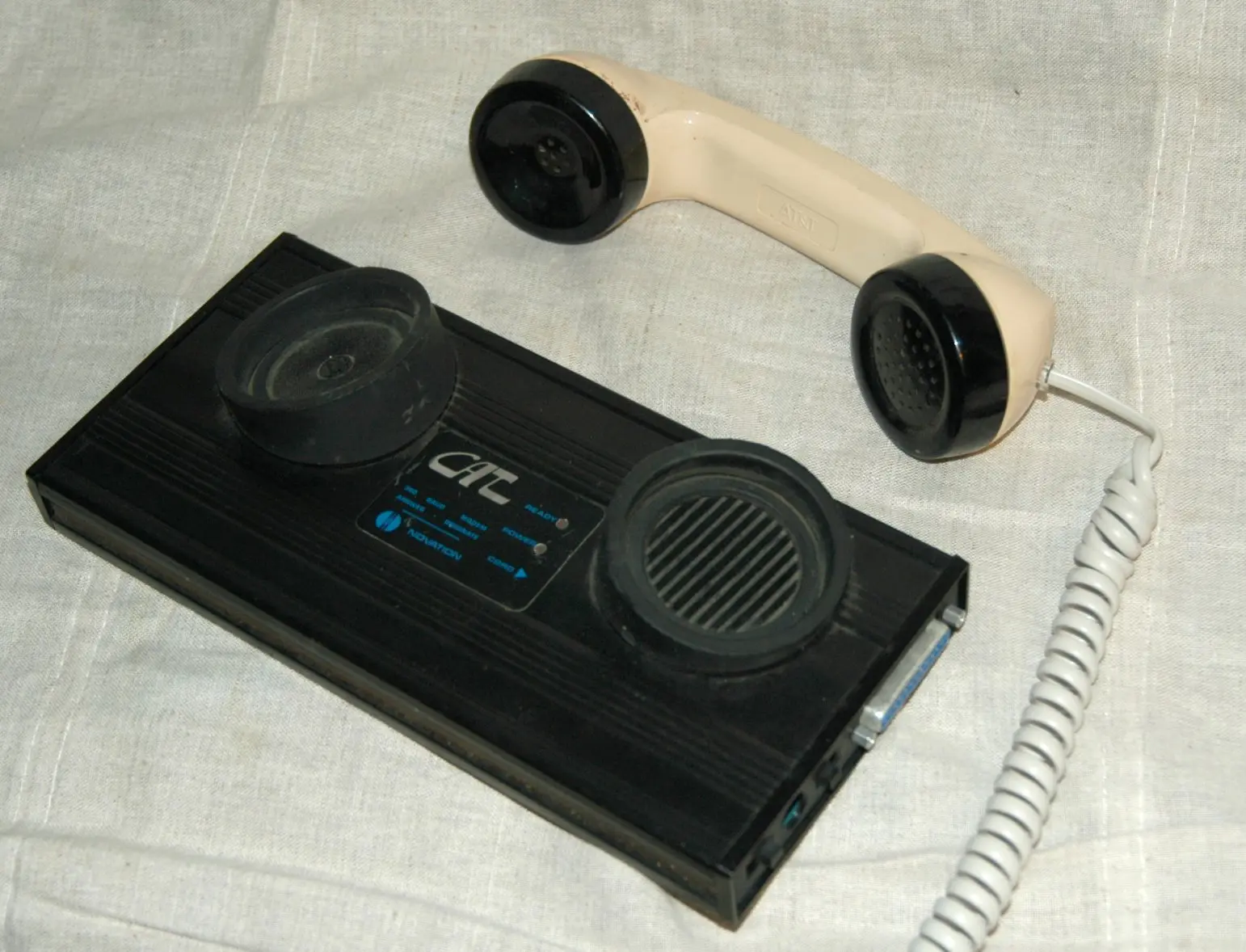
The receiver in two rubber cups
An acoustic coupler connected nothing directly to the telephone line. The whole receiver rested in two rubber holders. One contained a small speaker that sent tones into the handset’s microphone. The other held a microphone that picked up sound from its earpiece.
In hindsight, this seems a cumbersome detour, but it had a major advantage. Telephones did not always have detachable plugs, and equipment connected to the network had to meet strict rules. The coupler used sound alone, changing neither telephone nor line.
How you connected
- 1Call the number
Using the ordinary telephone, you dialled or keyed in the computer system’s number.
- 2Wait for the answering tone
A high, continuous beep told you the modem at the other end was ready.
- 3Place the receiver
You quickly pressed both ends into the rubber cups in the correct orientation.
- 4Stay online carefully
A displaced receiver or loud noise in the room could cause interference or break the connection.
Even from a telephone box
Because no fixed connection was needed, you could carry the coupler with you. Journalists and other travellers could send text from a hotel room or, if the receiver fitted, a telephone box. It looked futuristic, but the technology was very tangible: without a good fit between rubber and receiver, nothing happened.